Give inquiries a home.
Share a branded intake form. Collect contact information and a description of the matter in one place.
AI receptionist and intake for your law firm. Designed to answer calls, collect the details, and help you follow through on the next conversation. Every AI receptionist call opens by disclosing that it is recorded and transcribed and that the caller is speaking with an AI.
Built for solo attorneys. Room for your small firm.Your next conversation starts here.
Share a branded intake form. Collect contact information and a description of the matter in one place.
Review the original submission alongside a clearly labeled AI summary. Receive a notification using your configured channel.
Review follow-up, share your scheduling link, and track each inquiry. You decide what happens next.
The redesigned LexFlo workspace, rendered with fictional demo inquiries.
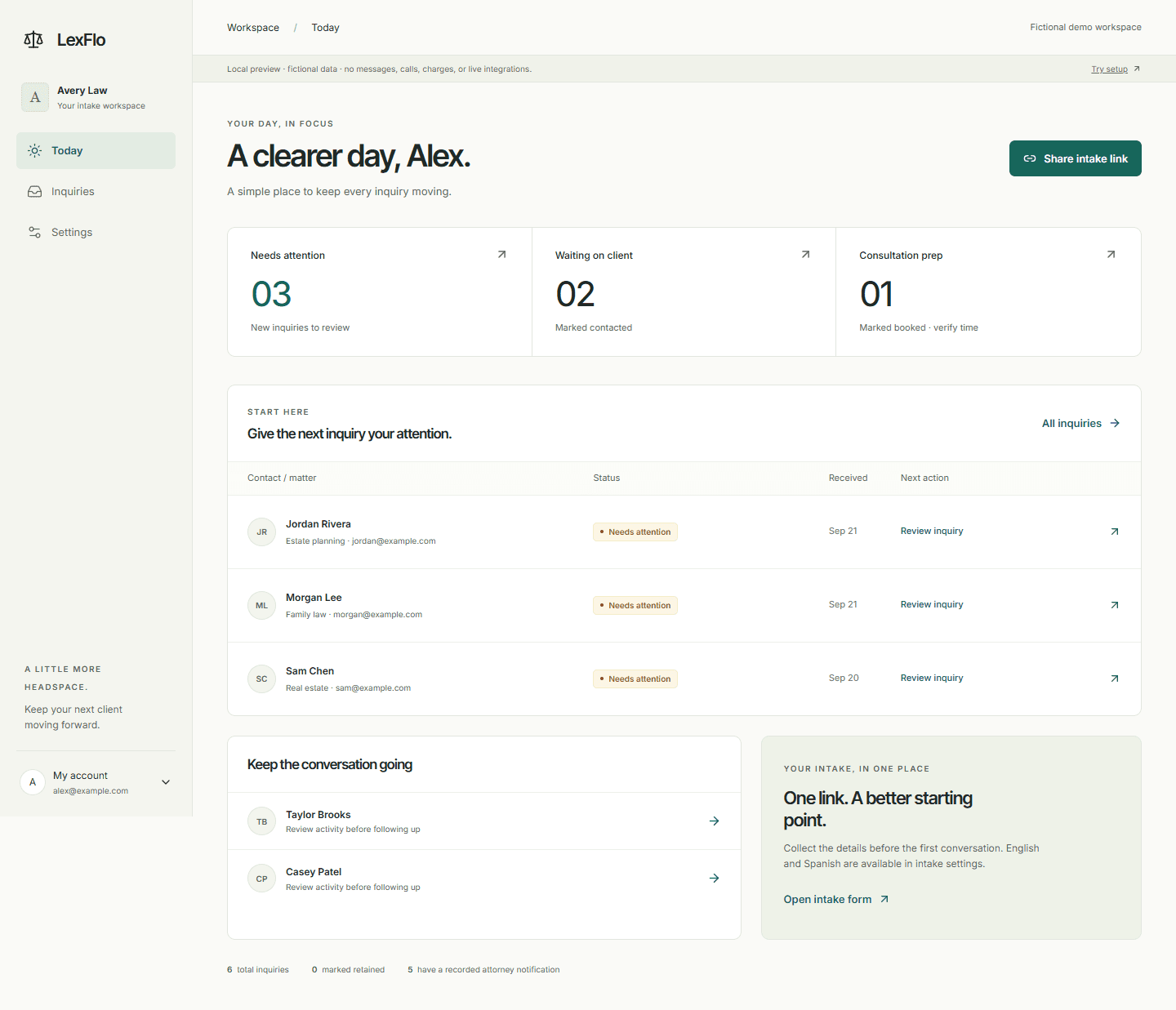
One focused workflow for you and your practice. Add the connections you need as you go.
See it with your intakeYour branding and practice area, with English and Spanish intake options.
New inquiries, clients you’ve contacted, and consultations you’ve marked booked.
Welcome emails, configurable follow-up, and an activity history with recorded outcomes.
Share your own scheduling link and keep consultation details together.
An AI receptionist and intake for your practice, set up with you.
Your current subscription and entitlements remain in place. Manage billing from your account menu.
Plans are month to month. Cancel before your next billing date to stop renewal. Read the cancellation terms.
AI receptionist and intake for a solo practice
For firms with several attorneys and staff
No. Intake, follow-up and notifications work independently. Clio sync is optional and runs only when you connect your Clio account.
A scheduling link helps someone choose a time with your booking provider. LexFlo does not treat a link click as a confirmed booking. Verify the appointment in your calendar and update the inquiry status.
Yes. Choose your practice area during setup. Immigration is one supported option, alongside family law, estate planning, criminal defense, business matters, and others.
No. LexFlo is an AI receptionist and intake service and does not provide legal advice or make legal decisions. AI summaries help you review an inquiry. Verify them against the original submission and use your own professional judgment, including conflict checks.
The submission is saved, then the configured workflow attempts the summary, welcome email, notification, and optional integrations. Review activity for recorded successes or failures. Delivery depends on your configuration and providers.